Dynamic Wallpaper
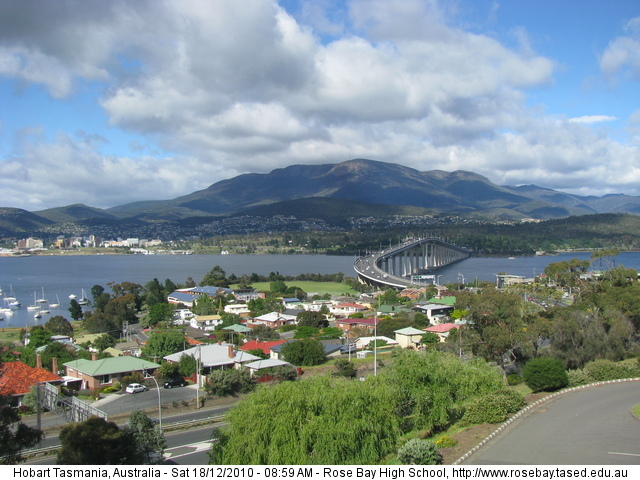
So today I made a short shell script to dynamically update my wallpaper every hour or so. I did this because I wanted to have the latest photo from the Rose Bay High School webcam displayed on my desktop as my wallpaper, and have it automatically refresh with the latest image taken throughout the day.
So to do this, I firstly created the following shell script in my home directory (/home/tim/wallpaper.sh):
#!/bin/sh
cd ~
echo "Refreshing your wallpaper... $(date)" >> wallpaper.log
cd ./Pictures
wget -rp http://www.rosebay.tased.edu.au/webcam/large.jpg
This script essentially makes sure you are in your home folder, writes a quite message to a log file with the current date, redirects to the Pictures folder, and downloads the latest version of the webcam image (I have opted for the ‘large’ image, but this could be substituted with ‘small’ or ‘medium’ if desired).
The next step was to create a cron job to automatically run the script. This can be done by running:
crontab -ewhich will open up your crontab file in the default editor. Then add a new job to be run:
01 * * * * /home/tim/wallpaper.shThis tells the cron job to run at 1 minute past each hour every day. If you would like it to be updated less frequently (to save bandwidth on both your end and Rose Bay High’s), you could edit the command to look like this (for example):
01 */2 * * * /home/tim/wallpaper.shor
01 9-17 * * * /home/tim/wallpaper.shwhich would either run the job every two hours, or between the hours of 9am to 5pm respectively.
Finally, you need to set the downloaded image as your wallpaper. You can run the script once manually to initially download an image:
cd ~
./wallpaper.sh
You should then find an image named ‘large.jpg’ in your Pictures folder under a subdirectory named ‘www.rosebay.tased.edu.au’ (assuming you are running the script as is). Set this as your wallpaper, and every time the script runs it will download the latest version on this image and overwrite the existing file. Your wallpaper should be updated automatically to display this new image.
The result is a nice dynamic wallpaper of Mt. Wellington. Enjoy!